
Tarzan: Return to the Jungle
Geometry Dash Lite
Html520263624
Sonic the Hedgehog 3
Html520262221
Sonic 3 Prototype
Html52026851

Kiwi Clicker
Html520267193
2v2.io
Html52026701

Incredibox Yellow Colorbox
Html520266816

ParaSprunki 15 – Sprunki Parasite
Html52026582

Mortal Kombat CX: Streets of Rage 2
Html52026550

Sonic 3 Complete – Emerald Safari
Html52026530
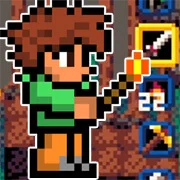
Terra – A Terraria Demake
Html52026532
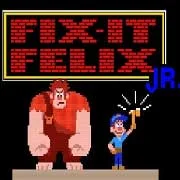
Fix-It Felix Jr.
Html52026460
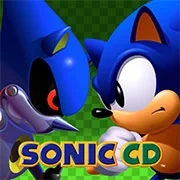
Sonic CD
Html52026450
Html5
4.5
HTML5|Mouse / Keyboard|Browser
“Tarzan: Return to the Jungle” is a platform video game developed by Digital Eclipse and published by Activision. Released in 2002 for the Game Boy Advance, it is based on Disney’s animated film “Tarzan” and serves as a sequel to the previous Tarzan game for the same platform. In this installment, players once again take on the role of the titular character, Tarzan, as he embarks on a new adventure through the jungle.
In “Tarzan: Return to the Jungle,” players navigate through various levels inspired by scenes from the film, including lush jungles, ancient ruins, and perilous cliffs. The game features classic side-scrolling platforming gameplay, with players swinging on vines, jumping over obstacles, and battling enemies along the way. Tarzan can also interact with other characters from the film, including Jane and Terk, who provide assistance and guidance throughout the adventure.
One of the game’s standout features is its emphasis on exploration and discovery, with players encouraged to uncover hidden secrets and collectibles scattered throughout each level. Players can also unlock bonus content, including concept art and mini-games, by completing certain objectives and challenges.
How to Play:
How to Play:Press [ENTER] to Start/Pause.
Only keyboard is required to play. Pretend your keyboard is the a game controller. Check the controller setting by clicking on the “keyboard” icon at the bottom of the game. A controller-to-keyboard mapping will be displayed. For example, A = Z, mean ‘A’ button on controller is equal to Z key on your keyboard. You can also change the default key-mapping.
Default Controls:
D-PAD = [Arrows] on Keyboard
A,B,L,R Button = [Z],[X],[A],[S] on Keyboard
START,SELECT = [Enter],[Backspace] on Keyboard
Figure out what which key does. Some key does nothing.
SAVE progress anytime by hovering your mouse over the game, which will display lot of icons at the bottom of the game, click the “Down Arrow Icon” to save the file to your local computer and come back later and load it up by clicking the “Up Arrow Icon”.
You might like
See all
Sonic 1 KawariNo
Html52026450
Sonic 1 – Emerald Safari
Html52026430
Granny Original
Html52026382

Billiards Master
Html52026350

Need for Speed: Most Wanted
Html52026320
10×10
Html52026300

Azure Colorbox
Html52026300

Mario Adventure 3
Html52026290
1942 Game (NES)
Html52026290
Kirby Nightmare in Dream Land
Html52026280
Sonic The Hedgehog 2
Html52026281
1212!
Html52026280

100 Meter Race
Html52026270
2048 Solitaire
Html52026260

3 Pandas 2: Night
Html52026250

3D Acrylic Nail: Nail Art Game
Html52026250
60 Minutes Til Rot
Html52026240
7 Words
Html52026240
FNF Character Test Playground
Html52026240

3 Ninjas Kick Back (SNES)
Html52026230